
Ellic Remote
Knobs, keys and a screen for your project.
Ellic Remote is free firmware for the M-VAVE FM-1. Install it and the FM-1 becomes a remote for Ellic Studio, over Bluetooth MIDI or a USB cable.
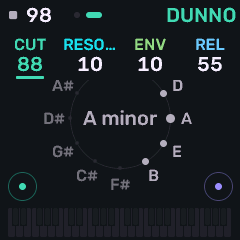
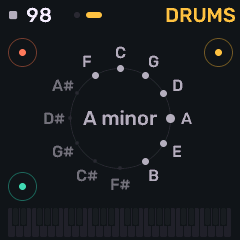
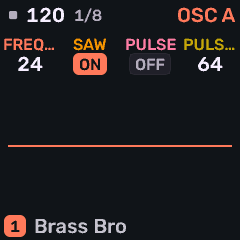
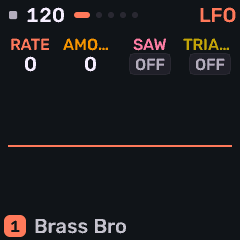
What it does
- Shows your tracks, sounds, patterns and transport on the FM-1's own pages.
- Turns a knob, and the value moves in the app. One turn is one step to undo.
- Plays the selected track from its keys, in the key you set.
- Plays, stops, arms, records, adds tracks and copies patterns without touching the glass.
What it doesn't do
It keeps no music, makes no sound and stores no projects. All of that stays in Ellic Studio. Without the app connected, its keys still send notes and its screen says so plainly.
How to install
- Connect the FM-1 to a computer with a USB cable.
- Open the web installer in Chrome or Edge. It still uses the firmware's earlier name.
- In Ellic Studio, connect to it under MIDI, by Bluetooth or USB.
The same installer puts M-VAVE's own firmware back whenever you want it. The firmware is open source under the MPL-2.0 licence, and its source is on GitHub.
Replacing a device's firmware is at your own risk. Ellic Studio is not affiliated with or endorsed by M-VAVE. FM-1 is M-VAVE's product.