Ellic Studio · iPad and iPhone

The groovebox that grew into a studio.

Six synth engines, five drum kits and a sampler. Clips, scenes and punches when you're playing, and a full song timeline when you're ready to finish it.

Runs on
iPad and iPhone, iPadOS and iOS 18 or later
Sounds
Six synth engines, five drum kits, a sampler
Price
Free to download, optional Pro
Status
Public TestFlight beta
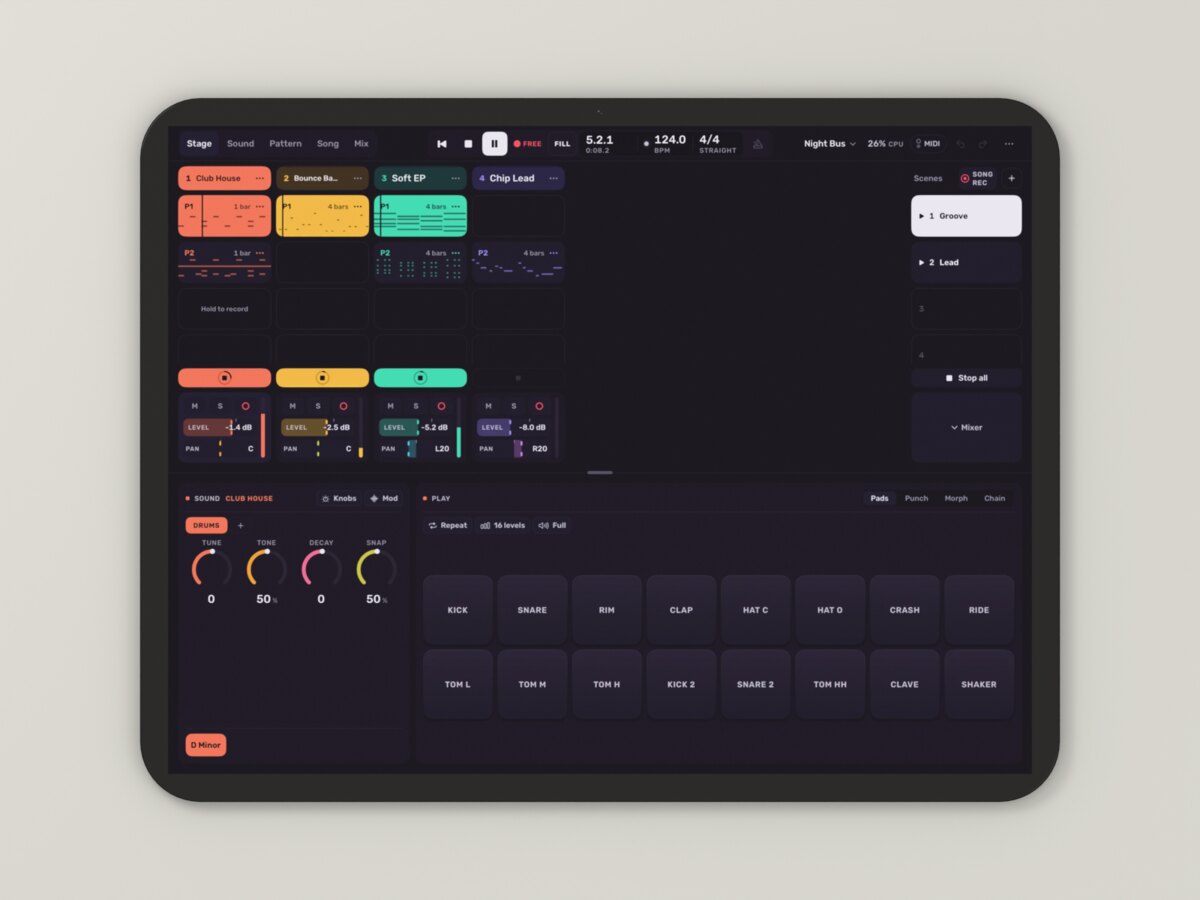
iPad running Ellic Studio, top view
Fig. 01Ellic StudioiPad, iPhone · TestFlight

01 · Play it

Don't read about it. Press play.

A small piece of the app, running in your browser with sounds from its own engines. Change the steps, mute a track, and switch scenes. They wait for the bar line, as they do on Stage.

1.1.1
124BPM

Scenes

KICK
SNARE
CLAP
RIM
HAT C
HAT O

Drums, Dunno and FM6, rendered by the app's own engines. Strike a pad higher to hit it harder.

02 · Five screens

One flow, from first idea to finished song.

01 · Stage

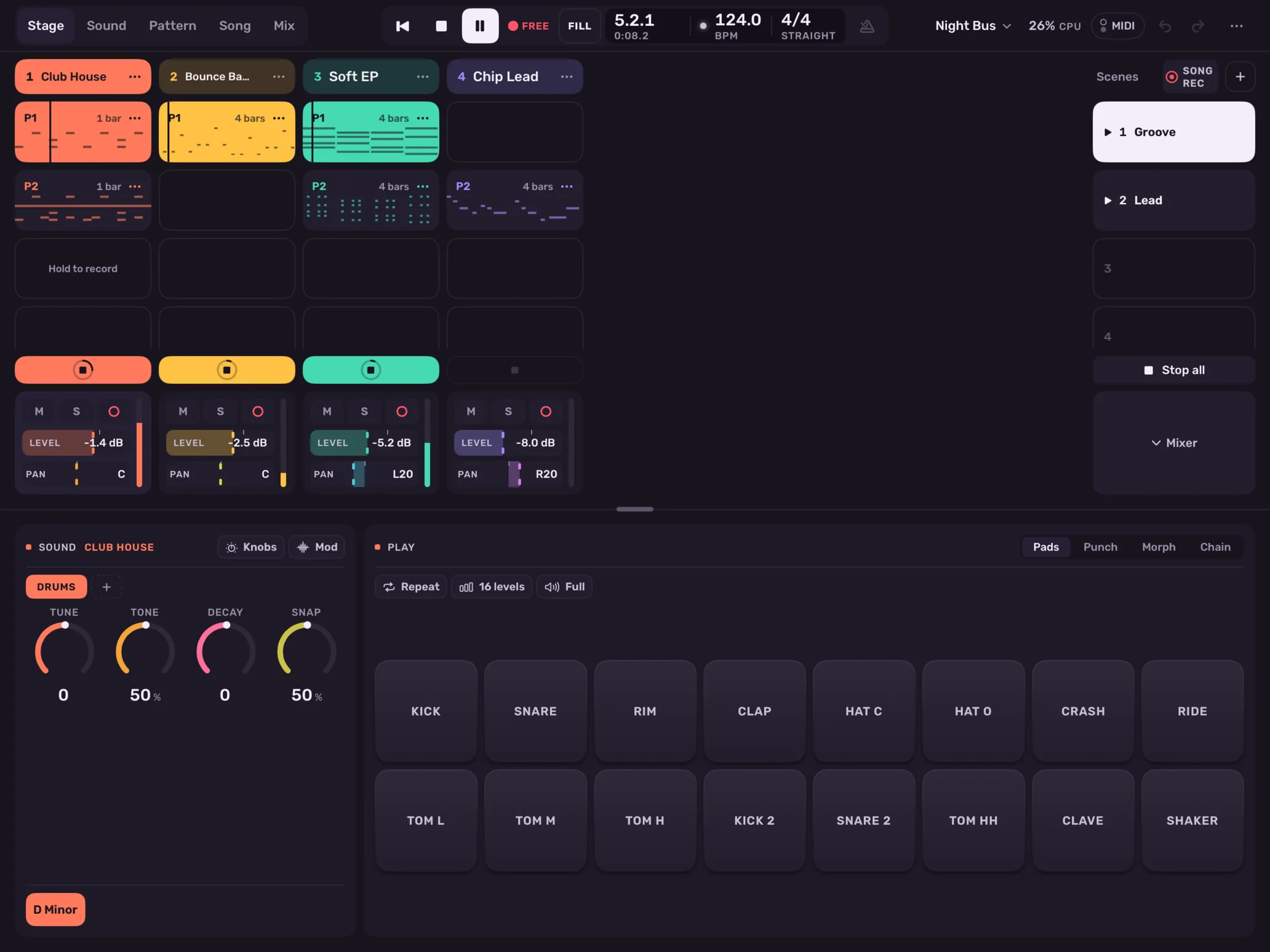
Play it like an instrument.

Clips launch on the bar. Scenes carry their own tempo, meter, swing and key. Hold an empty slot to record into it, and keep going.
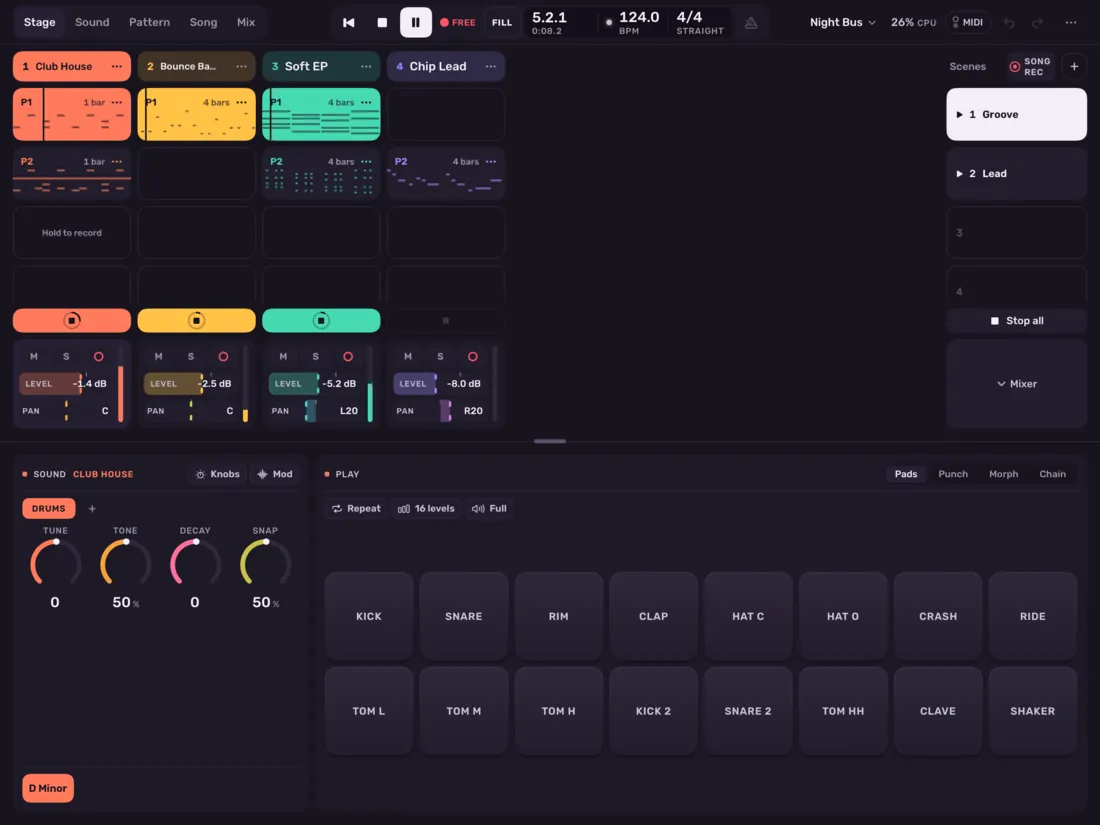
The Stage screen
Clips, launched on the bar

02 · Sound

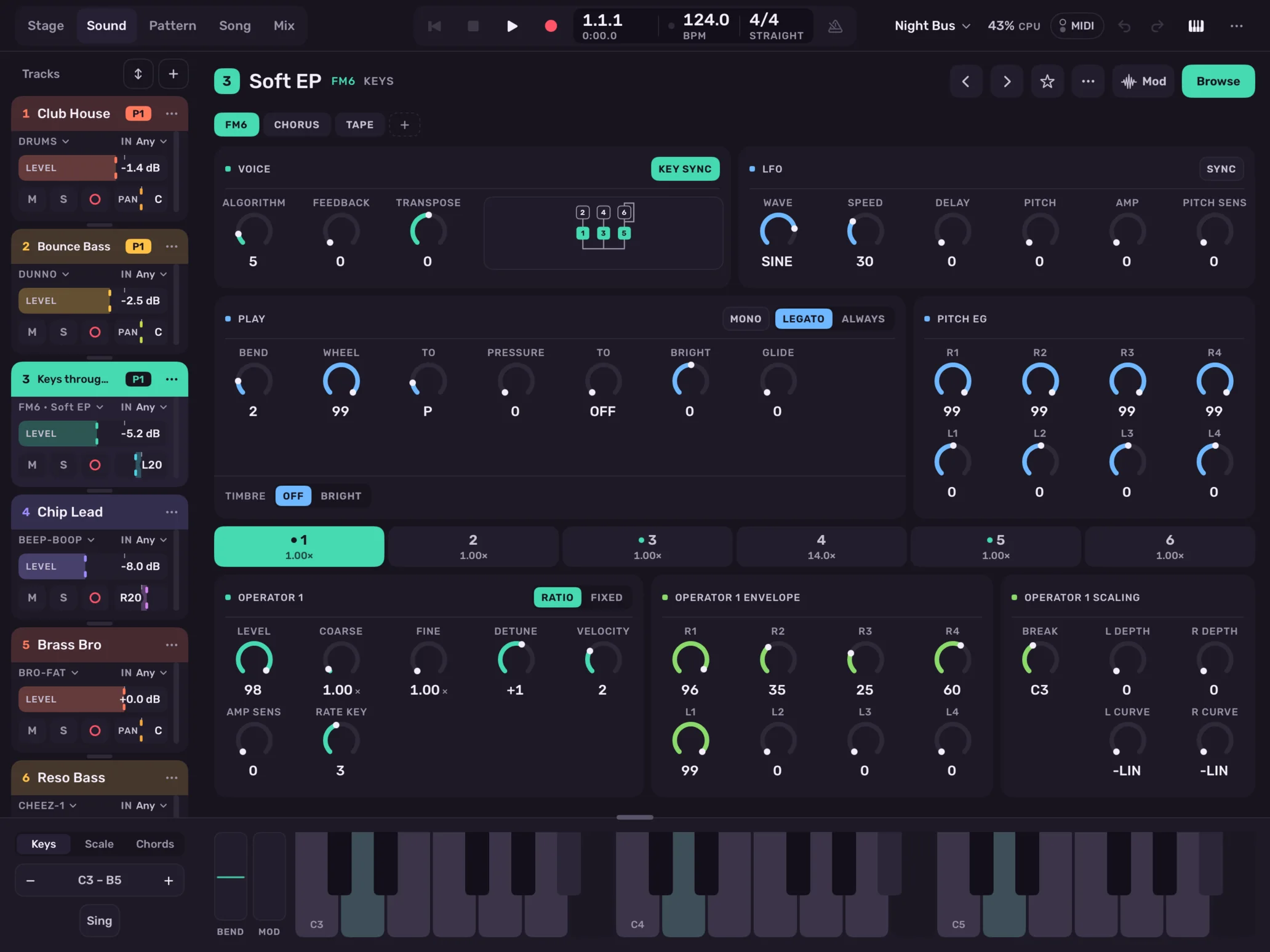
Every parameter, spelled out.

RESONANCE, not RES. Each engine is laid out on one page you can read at a glance, with instruments, note effects and audio effects on one chain.
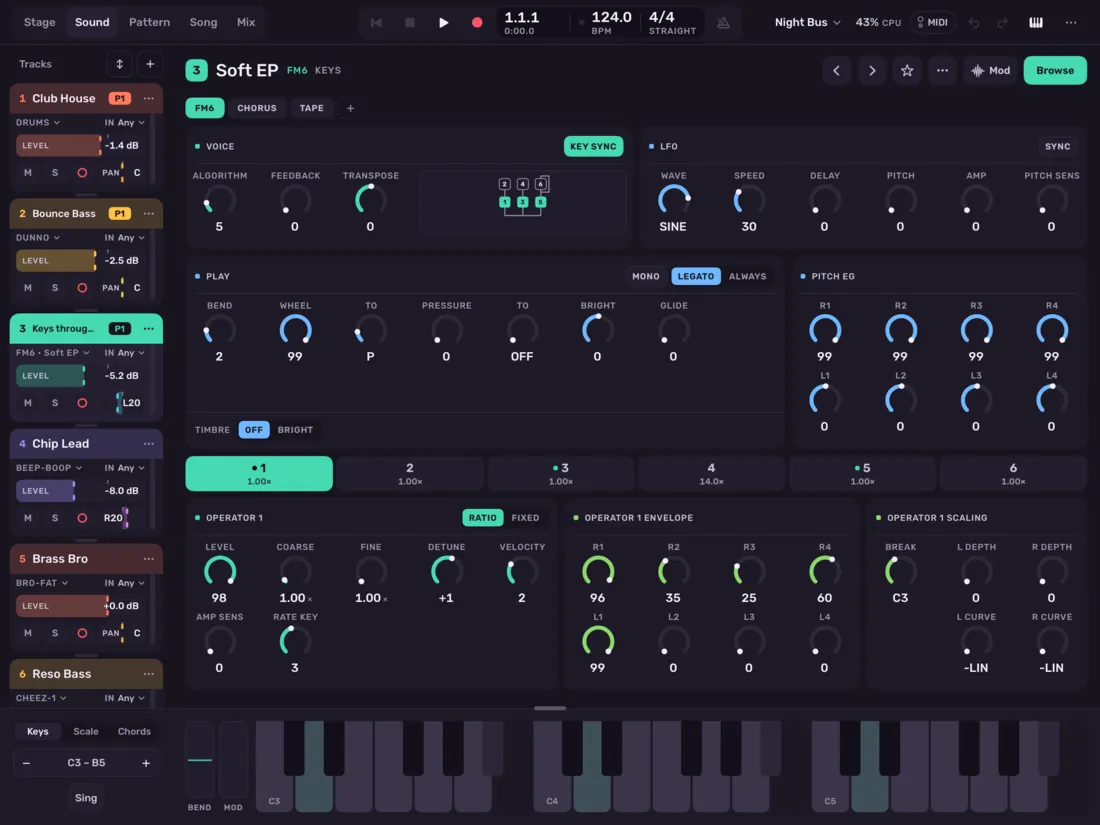
The Sound screen
FM6, Chorus, Tape: one chain

03 · Pattern

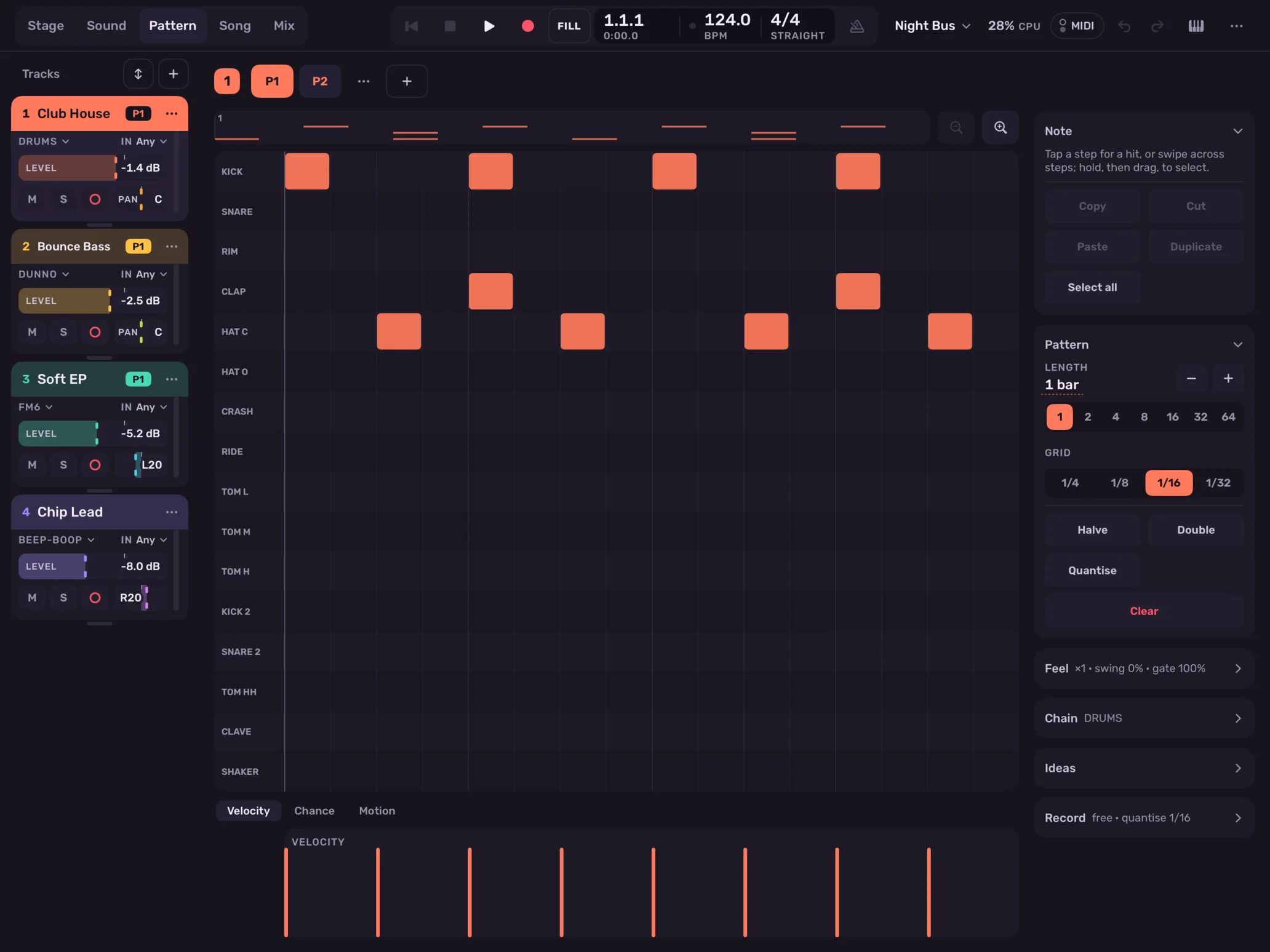
Steps that do more than play.

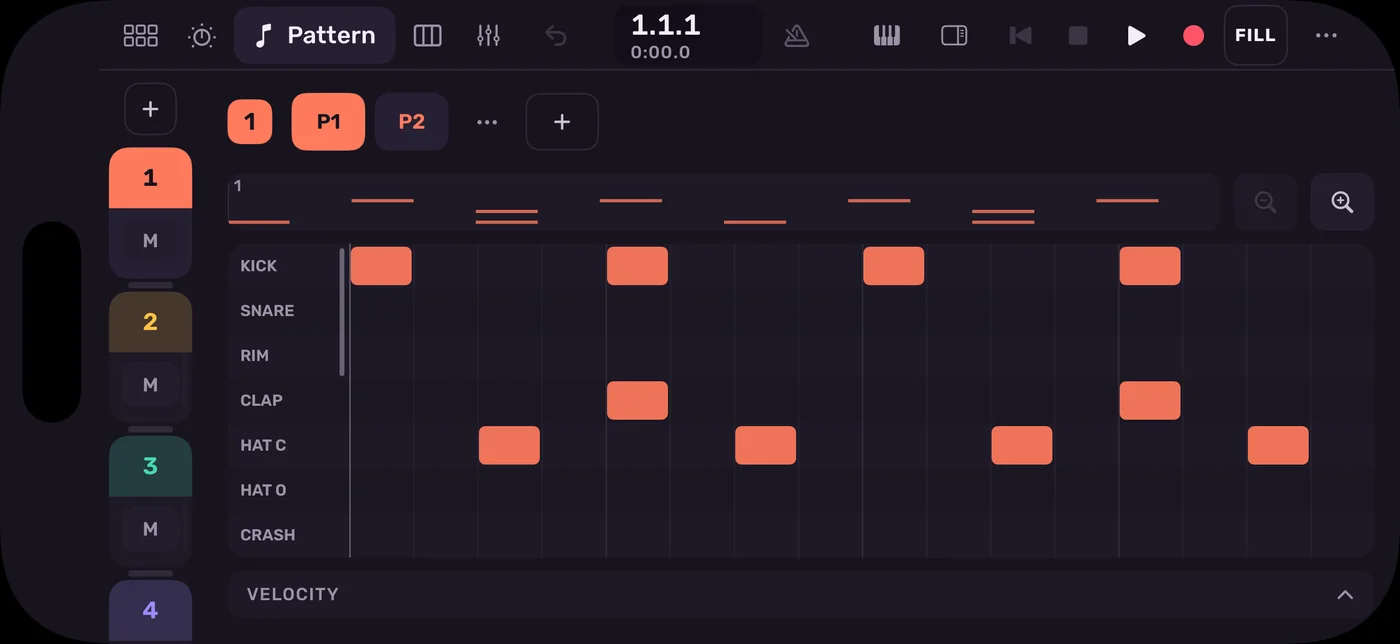
Piano roll and drum grid, with chance, ratchets, slides and nudges on every note. Set which passes a note plays on, from 1:2 to 8:8, and let drum lanes loop at their own lengths.
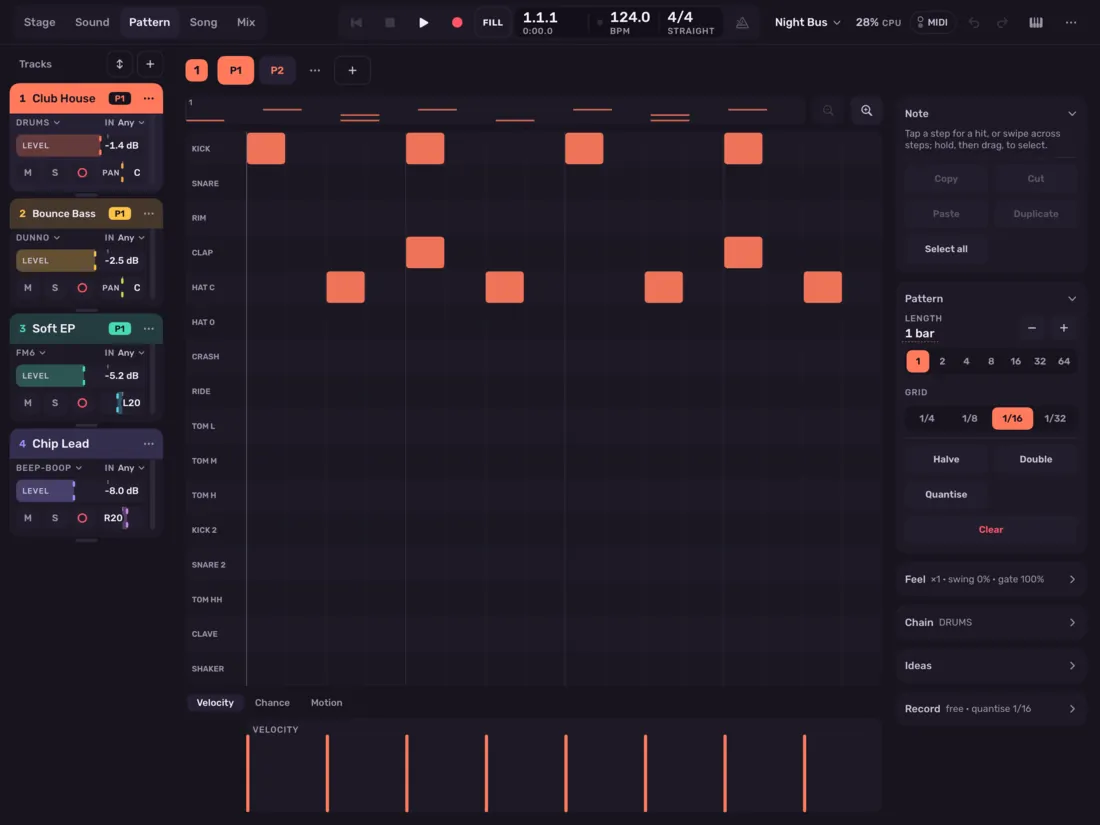
The Pattern screen
Velocity, chance and motion lanes

04 · Song

Then finish the song.

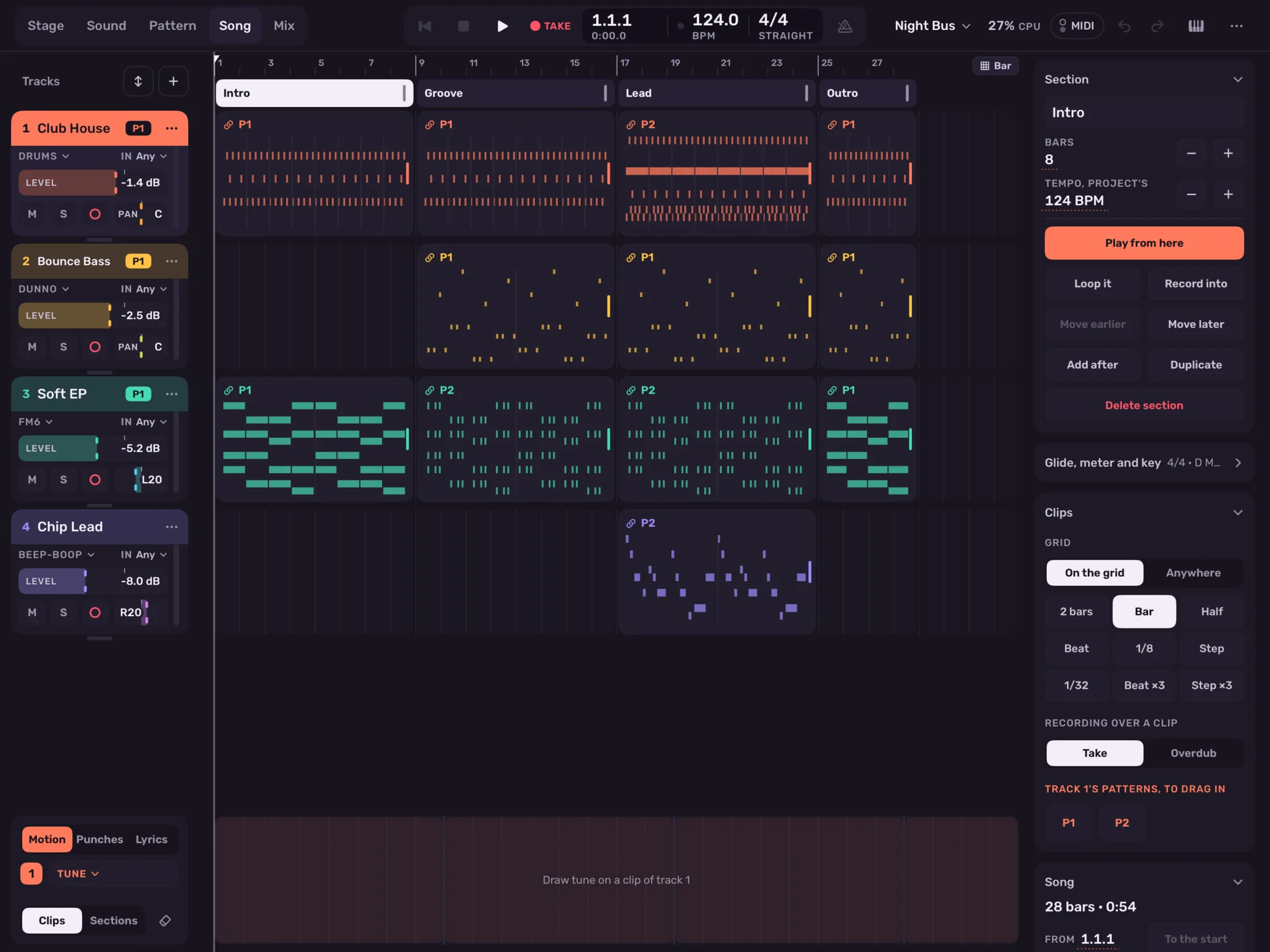
Place clips on a timeline under sections with their own tempo, meter and key. Draw motion as curves, record takes into lanes and comp them bar by bar, and put the words on the bars.
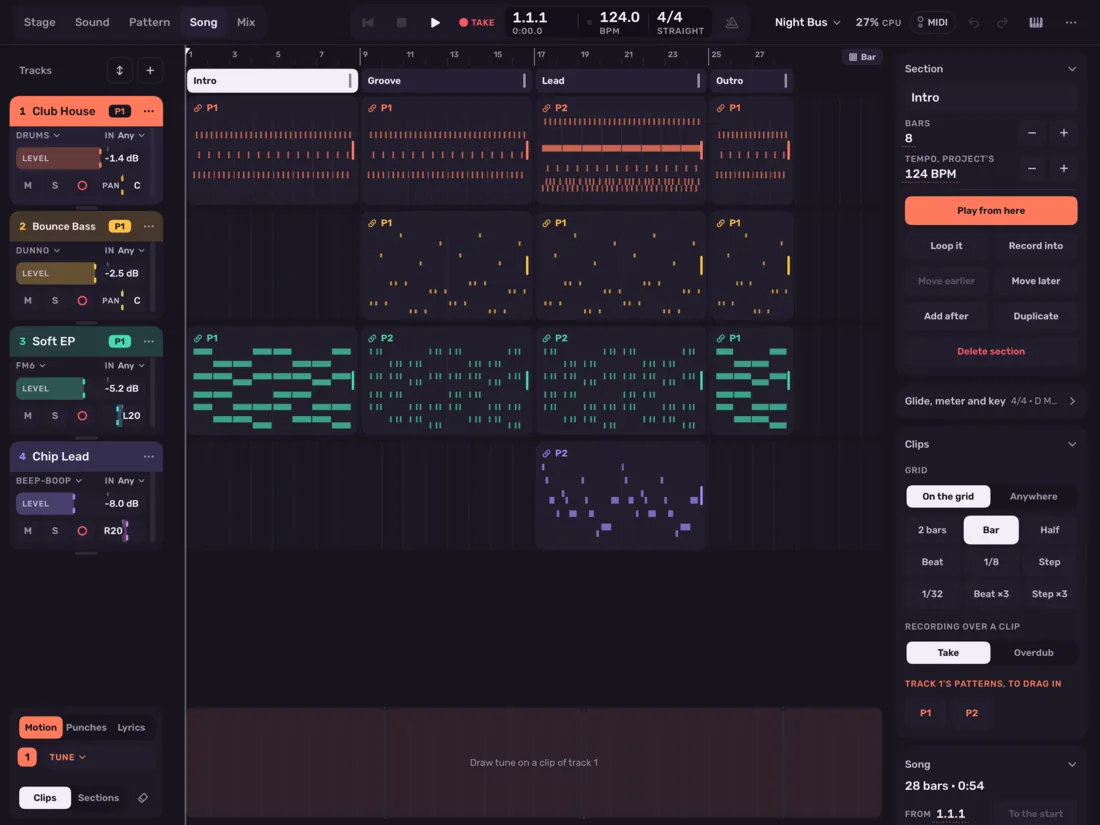
The Song screen
Four sections, each with its own tempo and key

05 · Mix

A real mixer, with real meters.

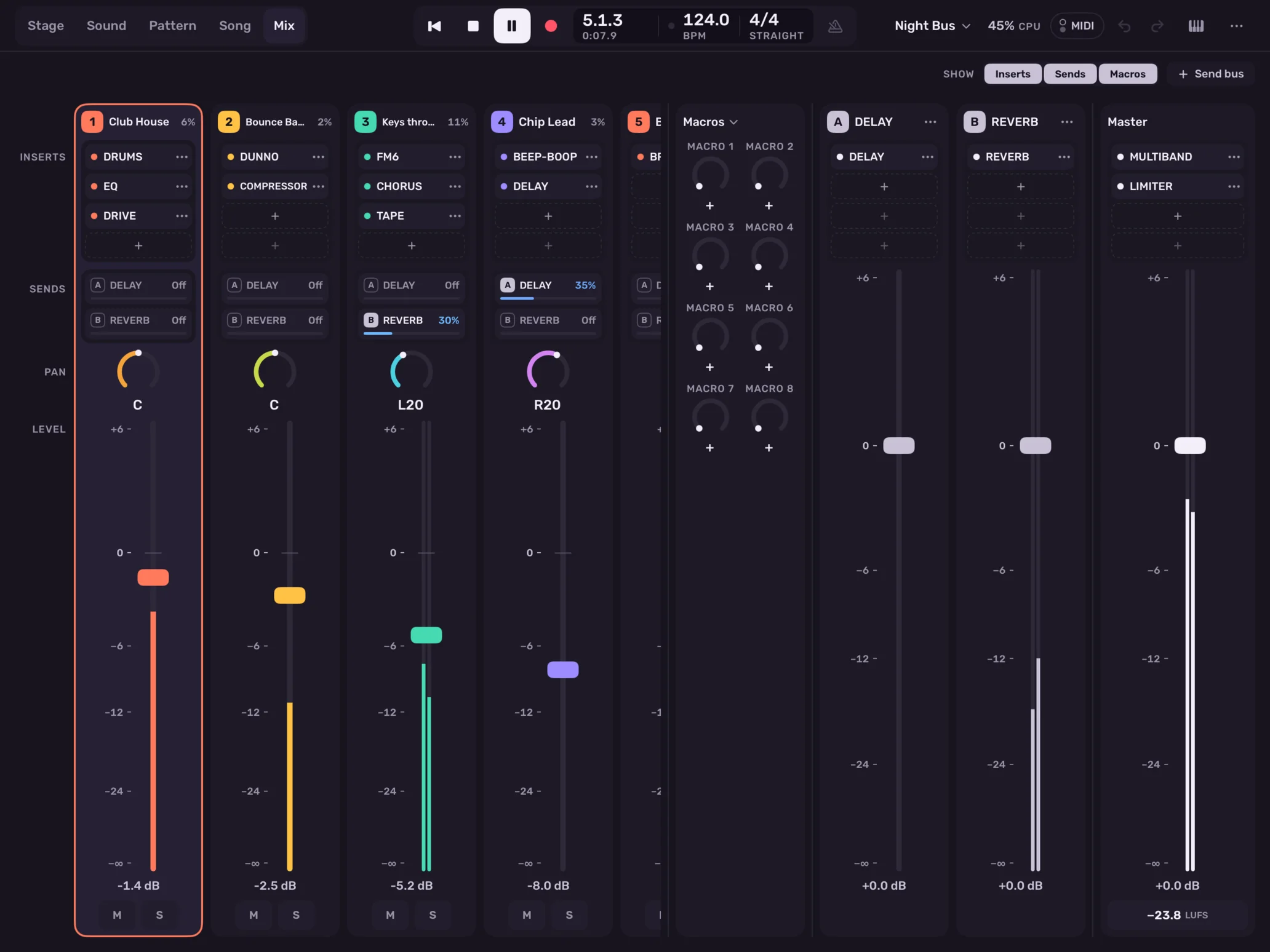
Effect chains on every track, bus and the master. Any number of send buses, sidechain from any track, latency made up across the mix, and loudness, range and history on the master.
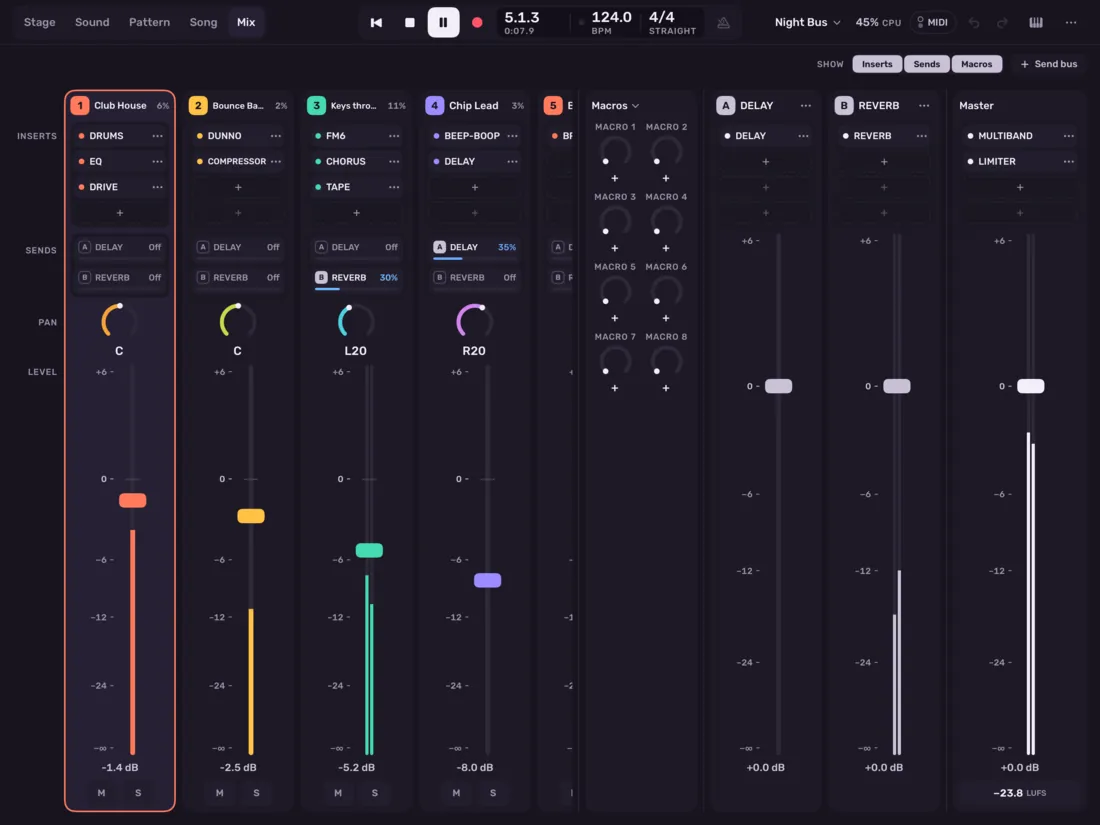
The Mix screen
Inserts and sends on every track

On iPhone

The same app, on its side.

Every screen is there, reworked for thumbs and a short window. Start a beat on the bus and finish it on the iPad.
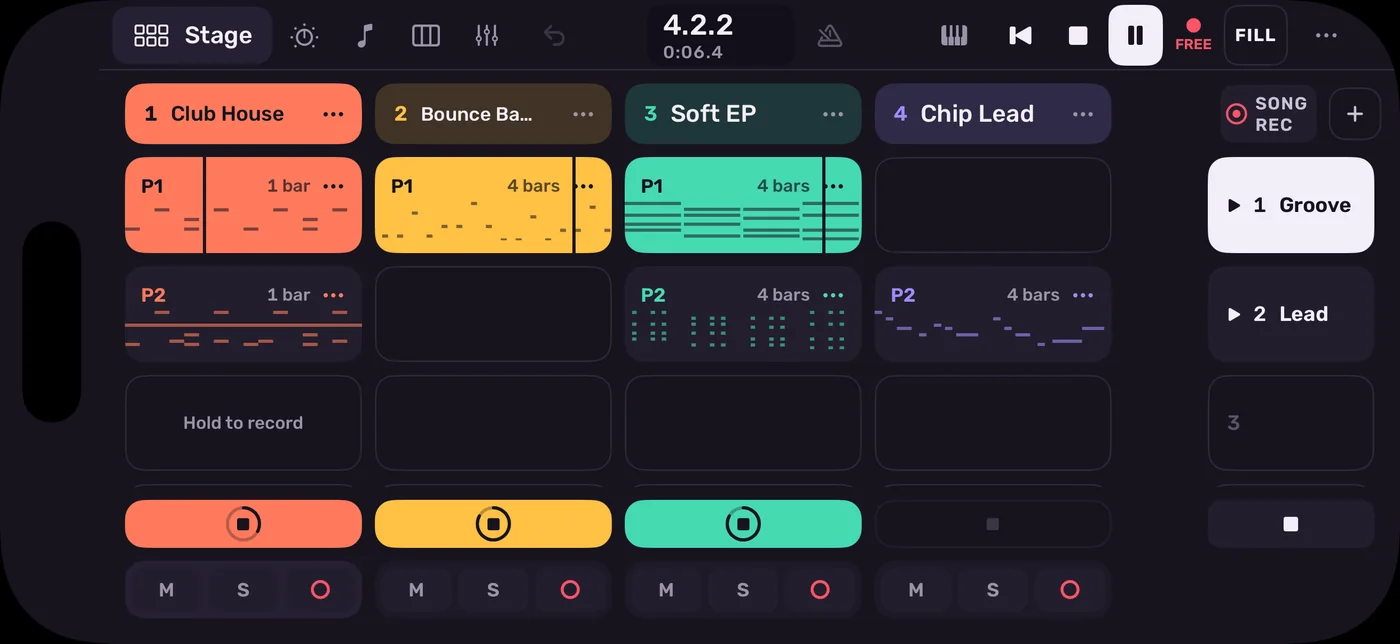
Stage on iPhone
The drum grid on iPhone

03 · Engines

Eight ways to make a sound.

Layer any of them on a track. Every sound below is a factory sound, rendered by the app.
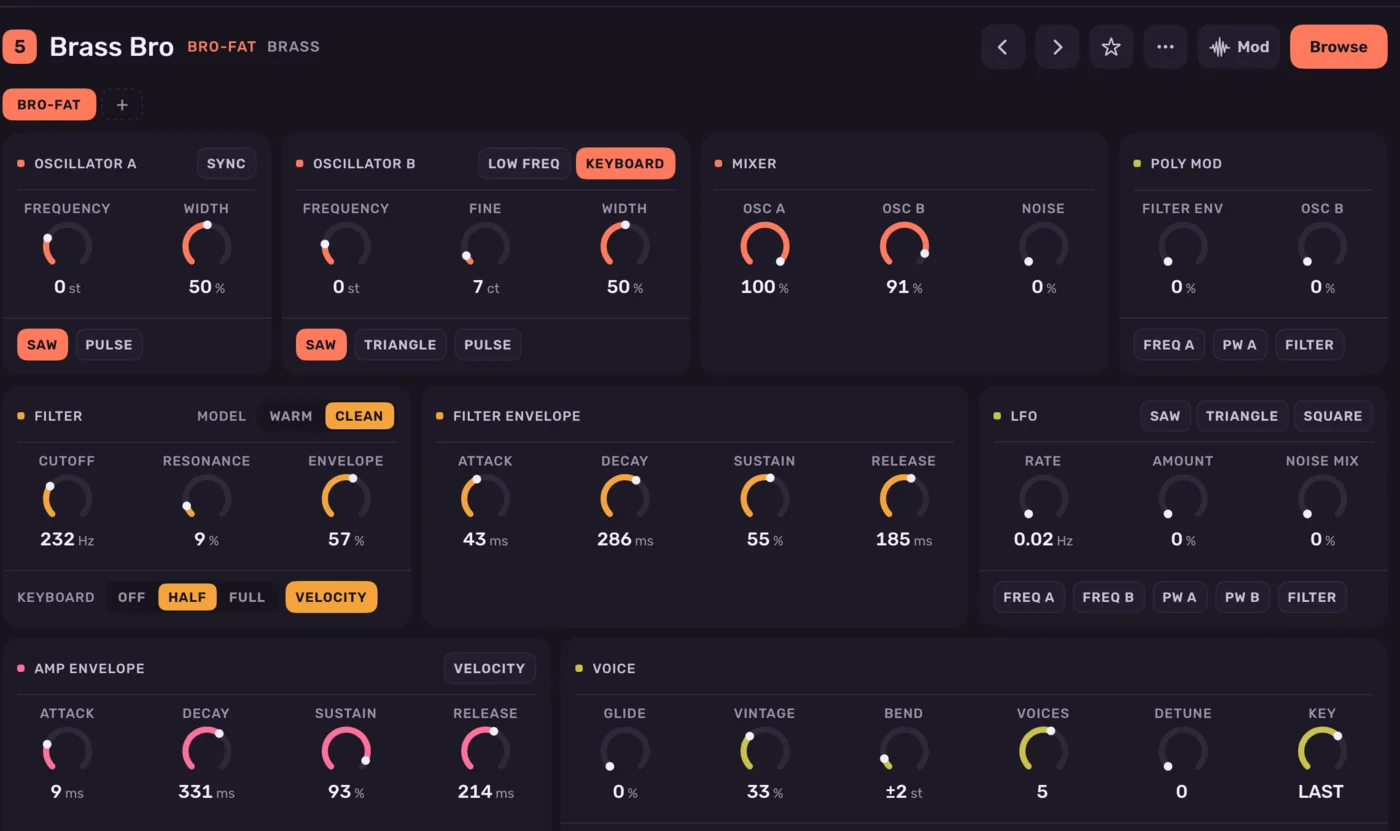
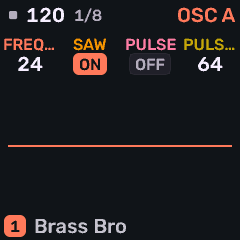
The Bro-fat sound page

01 · Fat analogue poly

Bro-fat

Two oscillators, poly mod and a filter. Play it poly or stack it in unison, with bend, mod wheel and pressure.
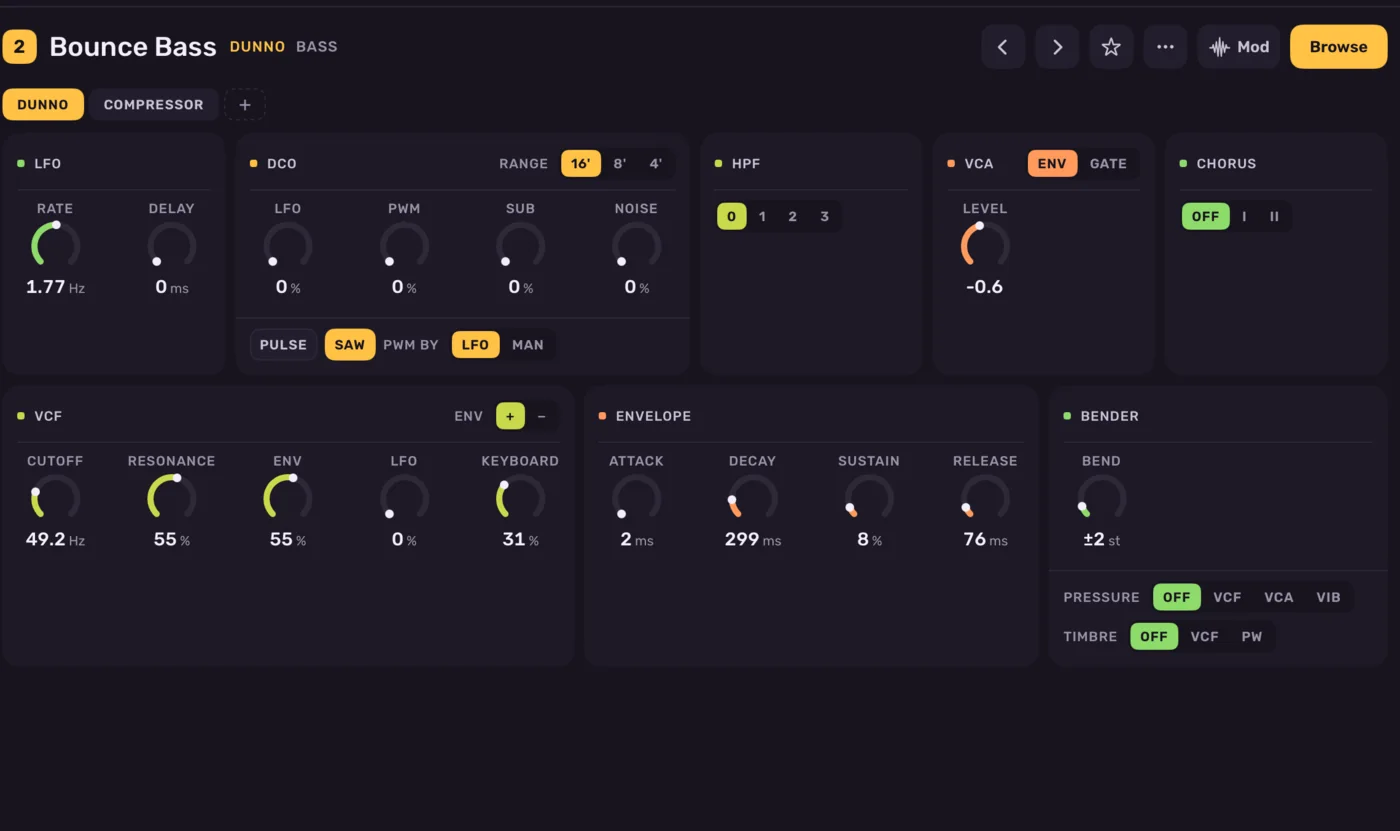
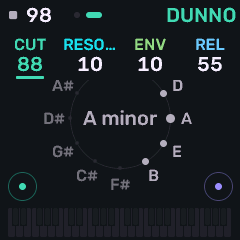
The Dunno sound page

02 · Sixteen voices and a chorus

Dunno

One oscillator a voice, a four-pole filter and a chorus you already know how to use. Strings and basses for days.
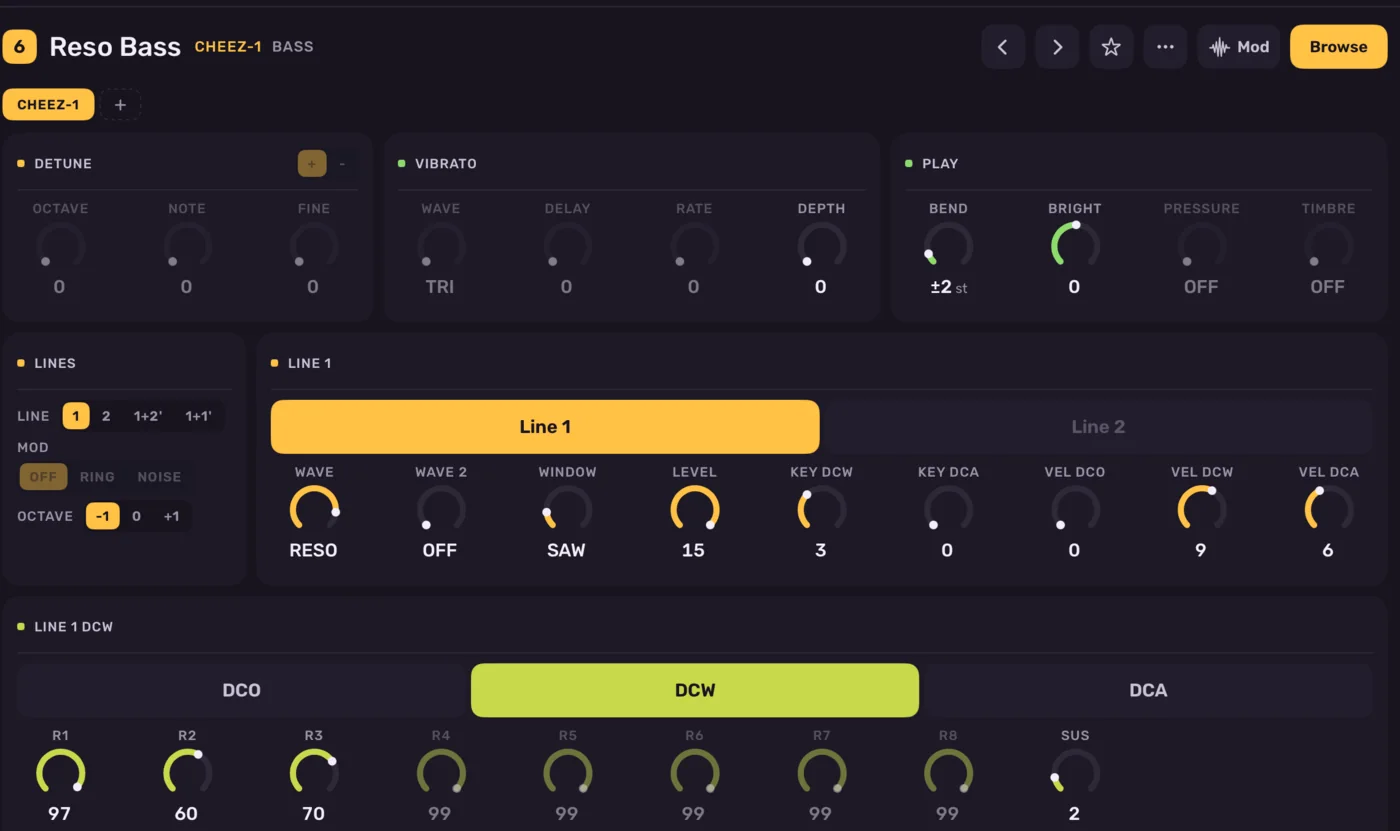
The Cheez-1 sound page

03 · Phase distortion

Cheez-1

Resonant, glassy and a little strange, shaped by envelopes in eight steps. Import CZ tones from SysEx dumps.
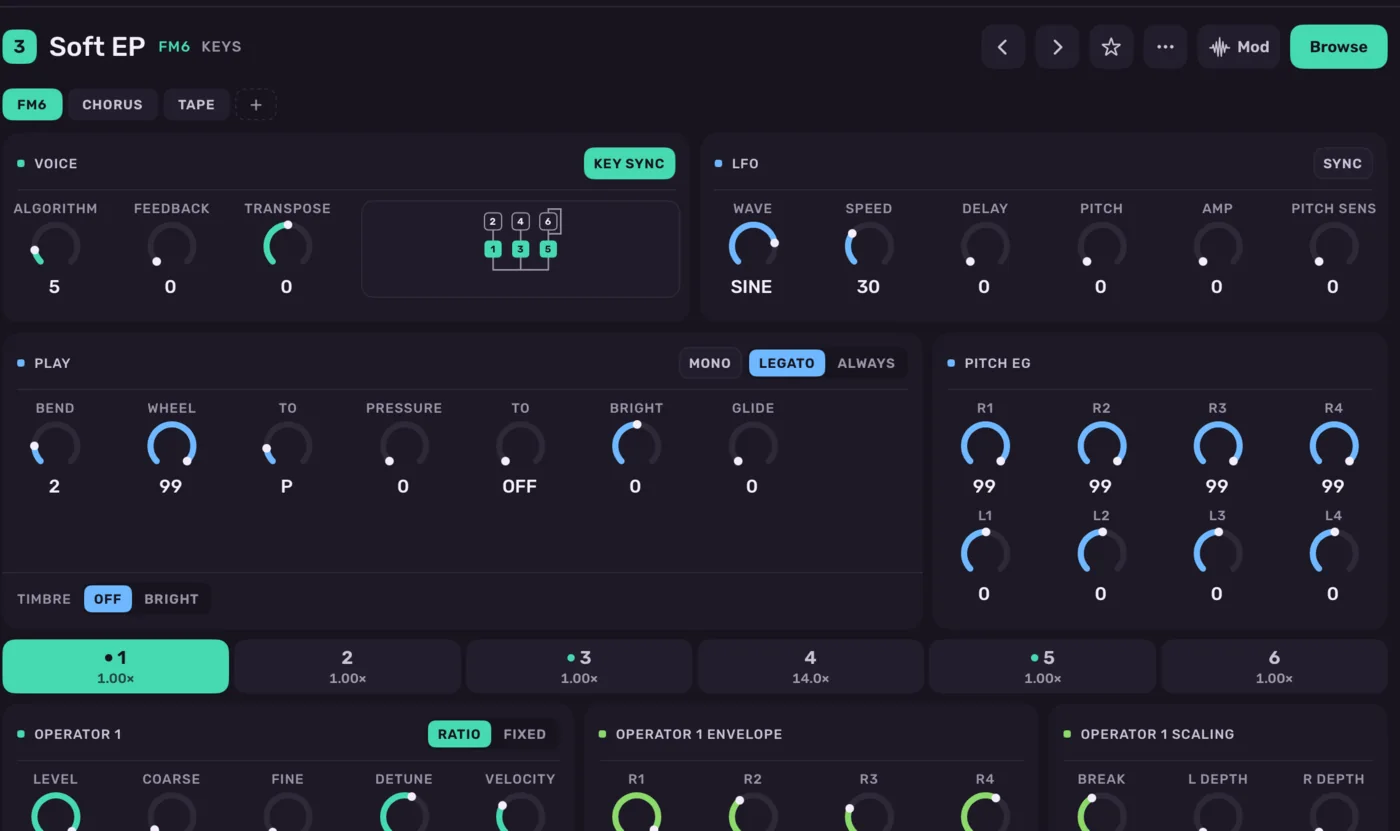
The FM6 sound page

04 · Six-operator FM

FM6

Six operators and thirty-two algorithms, poly or mono and gliding. Import DX7 voices from SysEx dumps.
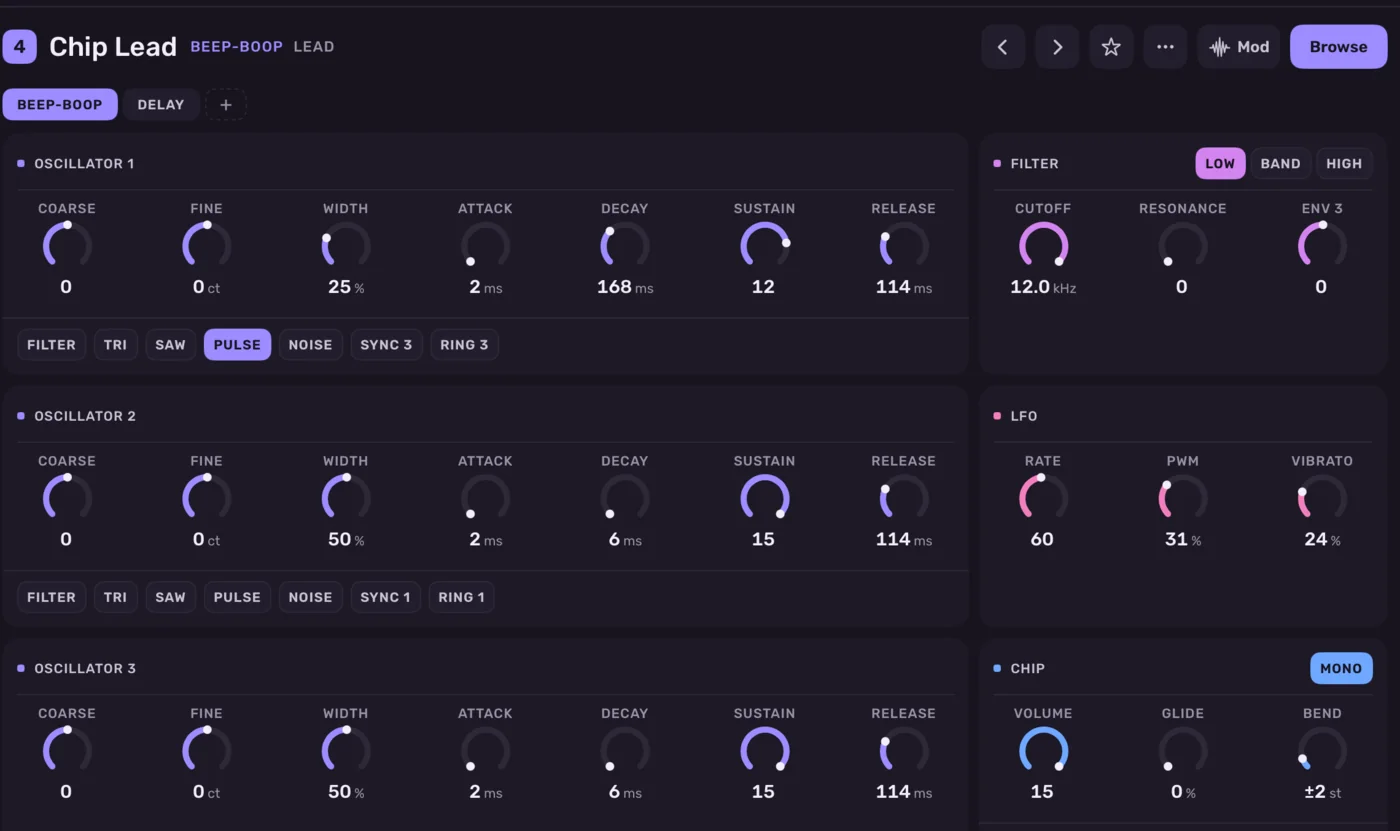
The Beep-boop sound page

05 · A sound chip for every note

Beep-boop

Three chip voices per note, with sync, ring modulation and a filter. All the grit, none of the polyphony limits.
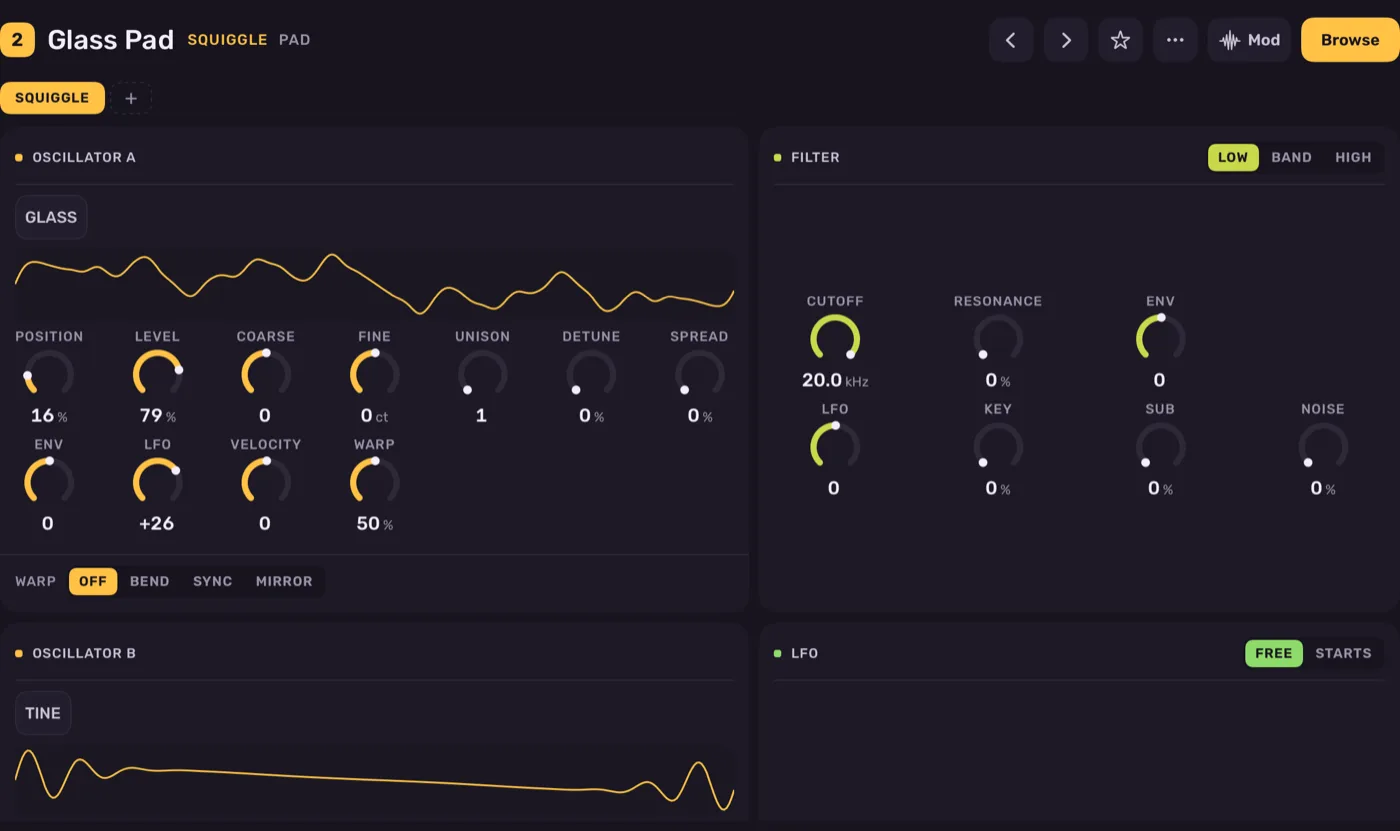
The Squiggle sound page

06 · Twenty-four wavetables

Squiggle

Two oscillators read its own tables or a WAV of yours. Turn the position, draw it as motion, or move it with an envelope, an LFO or the pressure of a note.
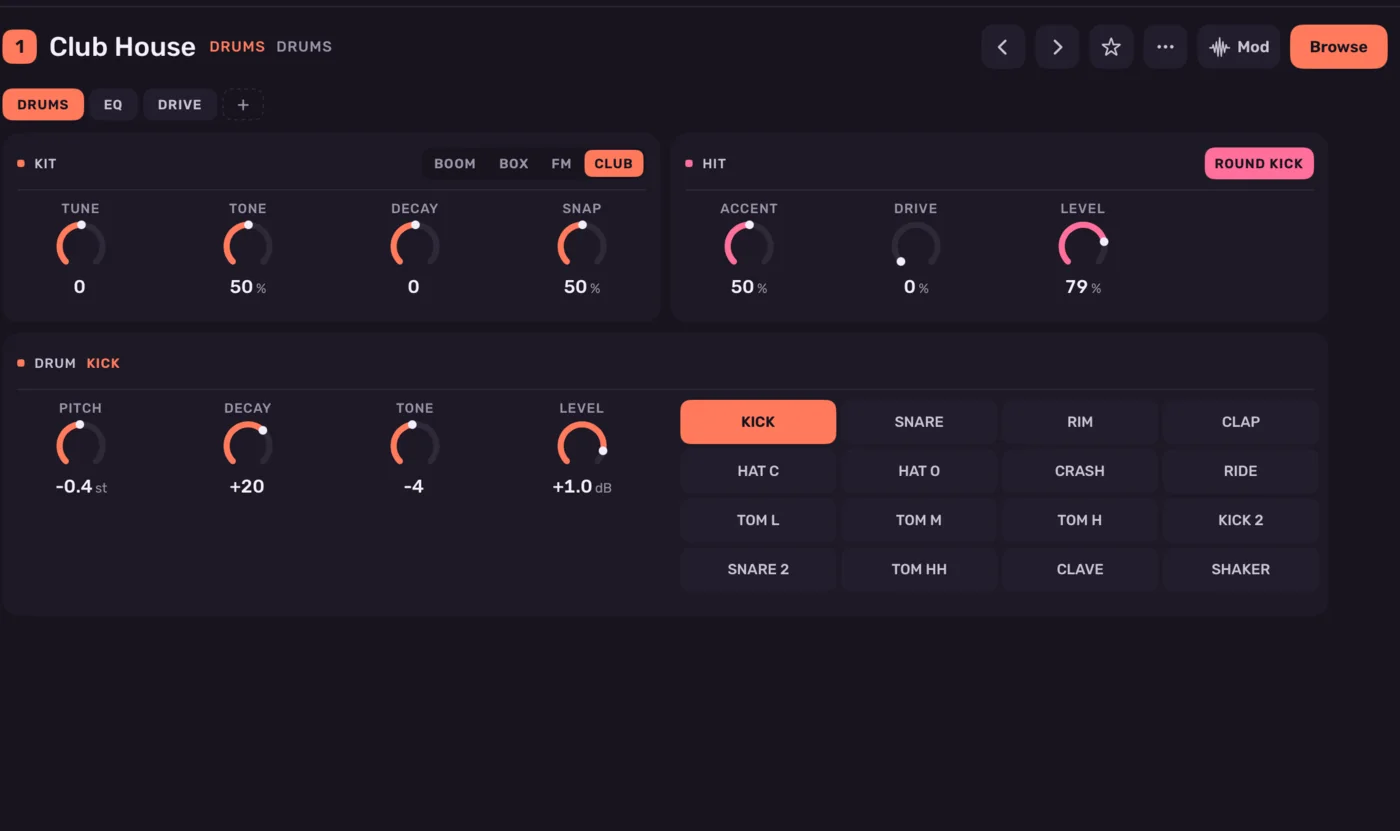
The Drums sound page

07 · Five kits, sixteen hits

Drums

Boom, Box, FM, Club and Bonk, whose drums ring like struck skin, wood and metal. Every drum is tuned, shaped and levelled on its own, with no samples involved.
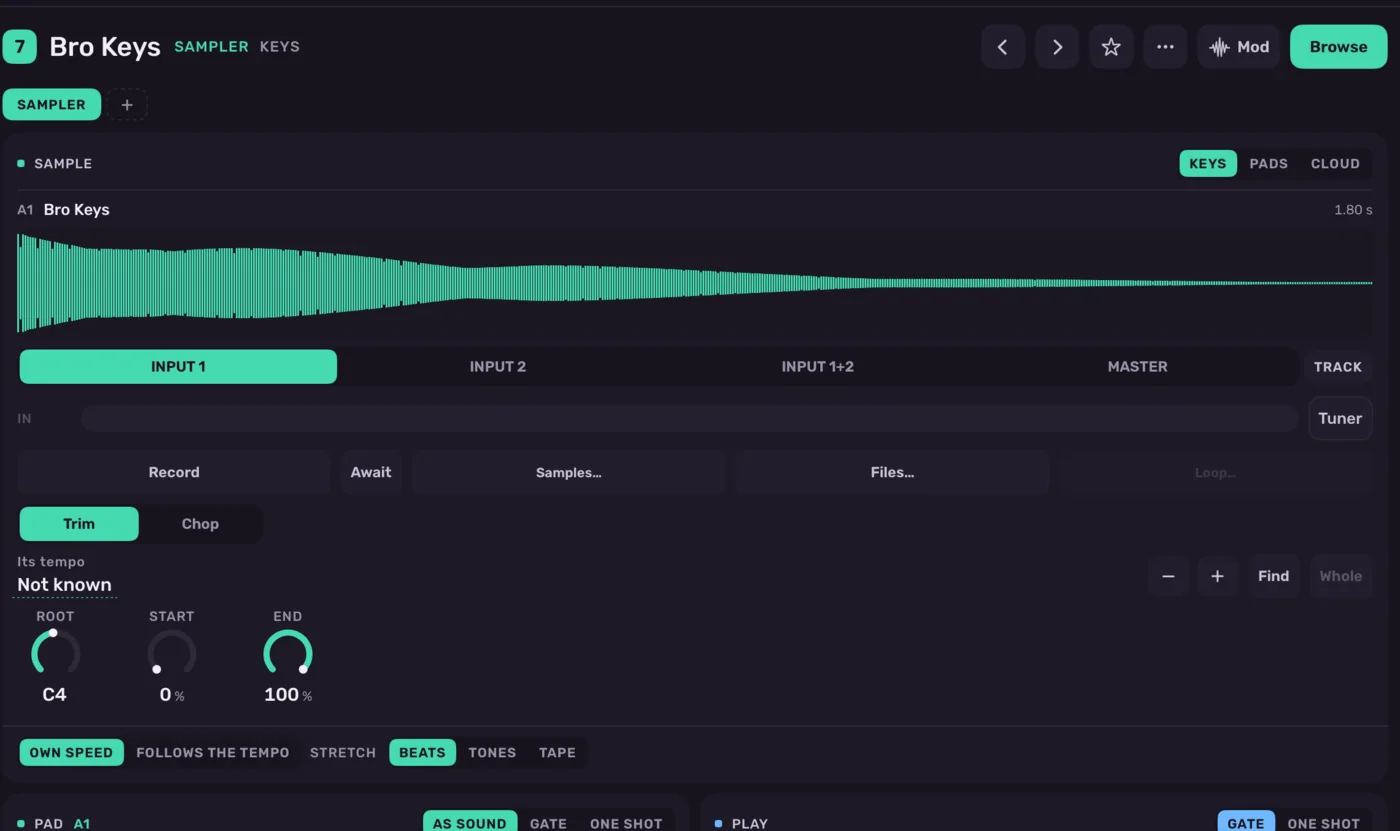
The Sampler sound page

08 · Pads, zones or a cloud

Sampler

Record, import or resample the mix, or play an engine onto a pad. Chop a break at its hits, play one sound across the keys, scatter it into a cloud of grains, or map a multisampled instrument.

04 · Perform

Twenty-seven punches, and both hands free.

Hold one over the whole mix, on the song's grid, or latch it and walk away. Whatever you play goes into the song as sections, clips, punches and motion, in one step.
  • Keep turns what you just played into a clip, with record never pressed.
  • Scenes take over on the bar line and can wander on by themselves.
  • Morph between snapshots of a sound or the whole mix with one finger.
  • The looper sits on any chain as a pedal, with two loops and footswitches.
  • Set lists carry a gig from song to song, with each one's BPM and key in view.
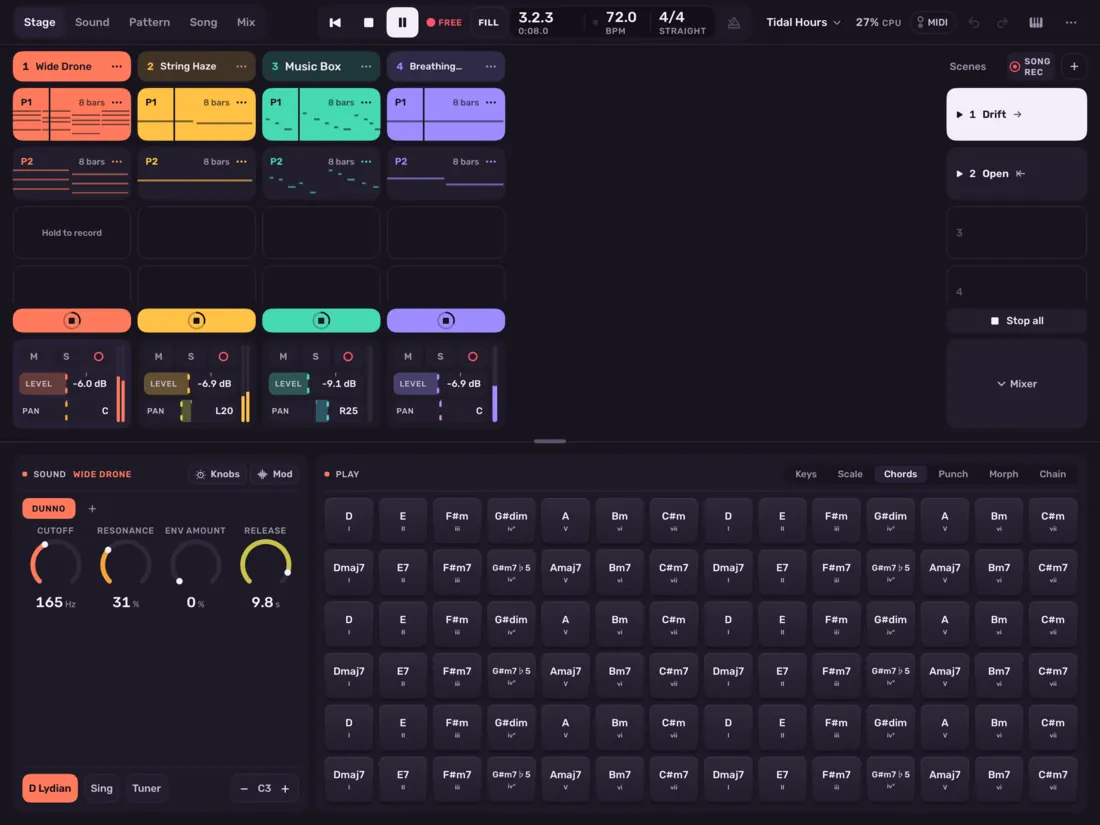
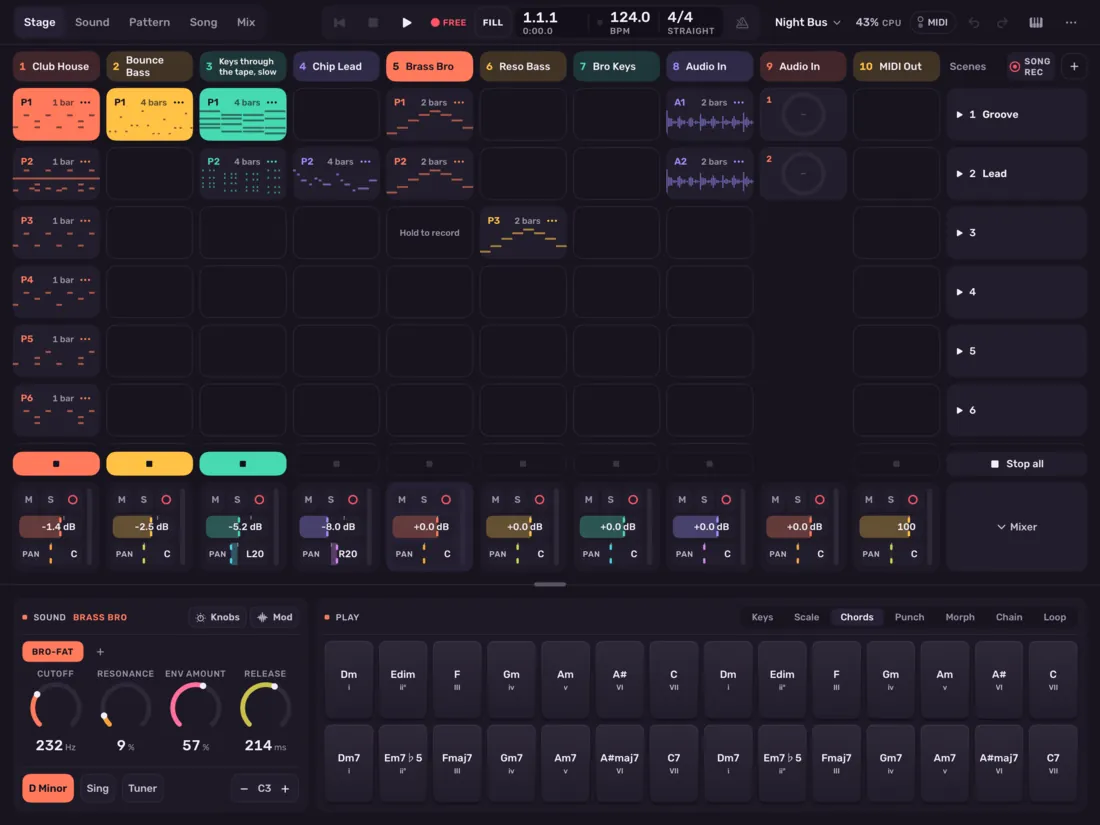
Tidal Hours on Stage, with chord pads in D Lydian
Fig. 02Tidal Hours on Stage, its scenes wandering, with chords in D Lydian under your fingers.
Ten tracks on Stage, with chord pads below
Fig. 03Ten tracks on Stage, every engine at once. Any number fits.

05 · Hear it

Four demos. Nothing but the app.

These are the demo songs that come with Ellic Studio, rendered offline by its own engine. Open any of them in the app and take them apart.

  • First Light

    A minor, 112 BPM

    A synth song that builds to a drop, with a phase lead.

    0:57
  • Night Bus

    D minor, 124 BPM

    House, with scenes on Stage.

    0:56
  • Kites

    D Dorian, 90 BPM

    Music box, kalimba and strings.

    0:55
  • Tidal Hours

    D Lydian, 72 BPM

    Drones, a cloud of strings, bells and a harp.

    1:48

06 · In key

Every pad is the right note.

60 scales, microtonal ones too, and 10 historical and just tunings. Chords from any key, voiced and strummed, on the keys and pads you already play, with sets for Pop, Soul, Jazz, Gospel and Ambient. Try it, then change the key.

07 · Lessons

It shows you, on the real screen.

A tour and 54 lessons, each lighting up the button to press in the app itself. Start with a beat and end with a finished song, then go as deep as you like.

Tap the kick on steps 1 and 9.
The first song
A beat, a bass, chords, effects, a song, mix and share
Recording and samples
Takes, warping, slicing a break, the looper
Shaping and performing
LFOs, macros, punches, the morph
Writing and finishing
Chance, sections, words, the master's chain

08 · Everything

The long list, for those who read long lists.

Factory sounds
479
Effects
20
Punches
27
Scales
60
Tunings
10
Lessons
54

Sequencer

  • Piano roll and drum grid with zoom, multiple selection, copy and paste
  • Chance, ratchet, slide and nudge on every note
  • Passes from 1:2 to 8:8, with fills held or tied to a scene
  • Drum lanes looping at their own lengths
  • Any time signature; speed, swing and gate per pattern
  • Other tracks' notes dimmed under the roll, one track or all
  • Grooves taken from a pattern, a clip or audio
  • Euclidean rhythms, pattern variations and melodies from a drawn line
  • MPE recorded, drawn and played frame-exact

Song

  • Clips on a grid from two bars to a thirty-second, triplets or anywhere
  • Sections with their own tempo, meter and key
  • Arrange lays a song out of your scenes by rules and a seed, and locks the parts you like
  • Takes in lanes, comped bar by bar
  • Audio clips with gain lines, fades, markers and warping
  • Lyrics and chord lanes, and chord charts shared as PDF
  • Bus and master levels drawn as motion
  • A tuner, and Sing: hum into the input to play the keys
  • Any track frozen to audio to spare the CPU

Sound

  • Stack any number of instruments on a track
  • Note effects before the sound: chords, arpeggios and more
  • Chord sets on the pads: Pop, Soul, Jazz, Gospel and Ambient
  • A looper pedal on any track, bus or the master
  • A sound designer that walks a synth section by section
  • LFOs from eight minutes a cycle to 64 bars, and envelope followers
  • Sound packs to share and import
  • CZ, DX7 and Prophet-5 SysEx import, and wavetables from a WAV

Sampler

  • Sixty-four pads in four banks, each with its own pitch, envelope and colour
  • Multisampled instruments with key and velocity zones and round robin
  • SFZ import from Files
  • Record onto a pad from any dock, on a count-in or waiting for a sound
  • Play an engine or a track onto a pad, quantised before it lands
  • Sixteen levels, Scale and Chromatic across the pads
  • Pitch by speed, or warped with the length kept
  • Tempo and key heard as audio lands, and offered
  • Samples tried in the project's tempo and key before you choose them

Mix

  • EQ, Filter, Formant, Compressor, Gate, Transient, Limiter, Multiband
  • Drive, Tape, Crush, Chorus, Flanger, Phaser, Tremolo, Width
  • Freq Shift, Delay, Reverb with Shimmer and Freeze, Plate
  • Sidechain from any track, bus or the input
  • Eight macros that turn anything
  • Latency compensation across the whole mix
  • Loudness metering, and dithered exports

Perform

  • Keep turns what you just played into a clip, with record never pressed
  • Scenes with their own tempo, meter, swing and key
  • Launches at once, on a beat or every 1 to 8 bars, for the project, a track or a clip, legato if you like
  • Set lists with a note for each song, its BPM and key, and the next one read ahead
  • Follow actions, with chances, on the tick
  • Scenes that wander on by themselves, so Stage plays on endlessly
  • A long take of what you hear, up to two hours
  • Snapshots morphed by a finger, two on a strip or four on a pad
  • Four Stage knobs that turn anything, over your own ranges
  • A performance recorded into the song in one step

Hardware

  • Every channel of an audio interface, armed and recorded at once
  • Tracks, the click and a cue on outputs of their own
  • Hardware synths as instruments, their latency measured and made up
  • Maps that name a synth's knobs, read from its maker's own charts
  • Sync pulses for Pocket Operators, Volcas and modular
  • MIDI over USB, Bluetooth and the network, with clock both ways
  • Bluetooth devices you used before connected again by themselves
  • Launchpad, APC, Launch Control XL and MiniLab mapped on connection
  • A computer keyboard played as a piano, and the wheel on knobs and faders

Connect

  • Audio Unit instruments, effects and MIDI effects inside the app
  • Its engines and patterns as Audio Units in other apps
  • Devices playing in time together on the local network
  • WAV, stems, MIDI files and DAWproject
  • Shortcuts, Siri, Spotlight, Control Center and a connected display

Projects

  • Named files, on the device or in iCloud Drive
  • Versions kept as a project changes, restored or named to keep for good
  • A project changed on two devices kept both ways, neither lost
  • Settings and stars carried across devices
  • A project sent whole, with its audio and sounds
  • A backup of everything in one file
  • The last projects opened on a home-screen widget

Ellic Remote

Give an M-VAVE FM-1 a new job.

Free firmware turns it into a hands-on remote for the whole project, with screens, knobs and keys.

Ellic Remote
Coming to the App Store.

In public beta on TestFlight now. Free to download, with an optional Pro subscription. For iPad and iPhone.

Join the beta